Latest stories
Discover what's new
Selected news, insights and guides for the Steam Deck community.
Selected news, insights and guides for the Steam Deck community.
 Blog
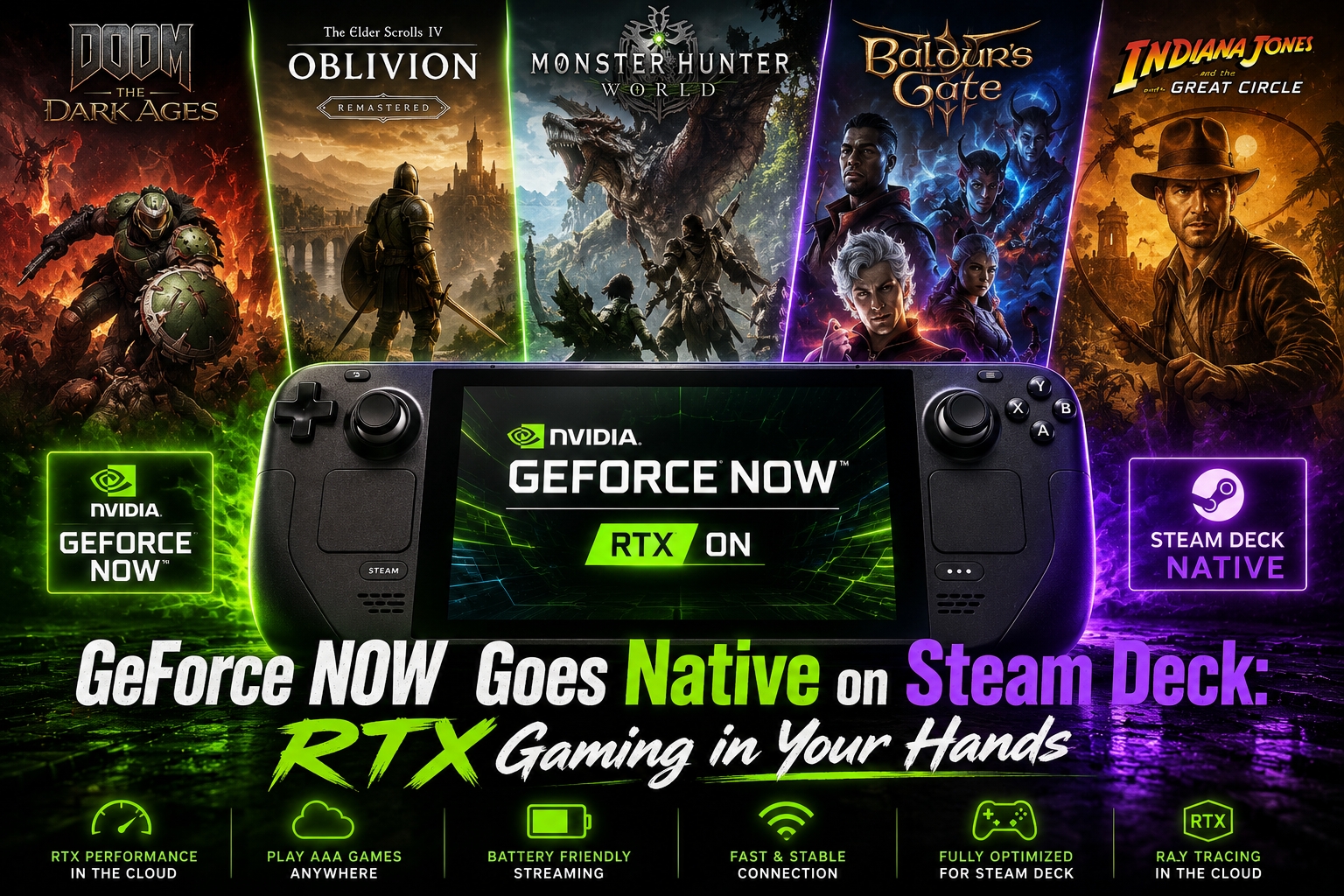
BlogNVIDIA is redefining portable gaming with the launch of its native GeForce NOW app for the Steam Deck, Valve’s popular handheld console. First revealed at CES 2025, the app delivers full RTX-powered cloud gaming directly to the device — unlocking performance and visual fidelity that were previously out of reach on mobile hardware. --- 🎮 High-Performance Cloud Gaming on the Go With the new native GeForce NOW app, Steam Deck users can: Stream games in 4K at 60 FPS when connected to a TV Enjoy advanced features like HDR10, DLSS 4, and NVIDIA Reflex in supported games Play at ultra settings beyond the Steam Deck’s native capabilities Extend battery life by up to 50% when streaming from a cloud-based RTX gaming rig Avoid overheating and performance throttling Thanks to this integration, Steam Deck becomes a true RTX gaming device on the go, capable of running demanding titles like: Clair Obscur: Expedition 33 Elder Scrolls IV: Oblivion Remastered Monster Hunter Wilds Microsoft Flight Simulator 2024 — all without hardware constraints or draining your battery. --- 📚 Access Over 2,200 Cloud-Ready Games Steam Deck gamers can now tap into a massive cloud gaming library via GeForce NOW, including: Steam Epic Games Store Ubisoft Connect Battle.net Xbox And over 180 PC Game Pass titles are already supported. --- 📦 How to Download and Get Started Download the native app from the official GeForce NOW download page , and follow the step-by-step setup instructions available on NVIDIA's Steam Deck support page . --- 🎁 Launch Giveaways and Perks To celebrate the launch, NVIDIA is giving away: 2 Steam Deck OLEDs with Dock Free GeForce NOW Ultimate memberships To enter, follow @NVIDIAGFN on social media and join the conversation using the hashtag #GFNOnSteamDeck. --- 🏁 The Future of Handheld Gaming Is in the Cloud With this release, NVIDIA transforms the Steam Deck into a powerful cloud gaming machine. Enjoy RTX 4080-class performance, an extensive game library, longer battery life, and access to top-tier visuals — anywhere, anytime. Have you tried GeForce NOW on your Steam Deck? Share your experience on social media or in the comments below!
Read the article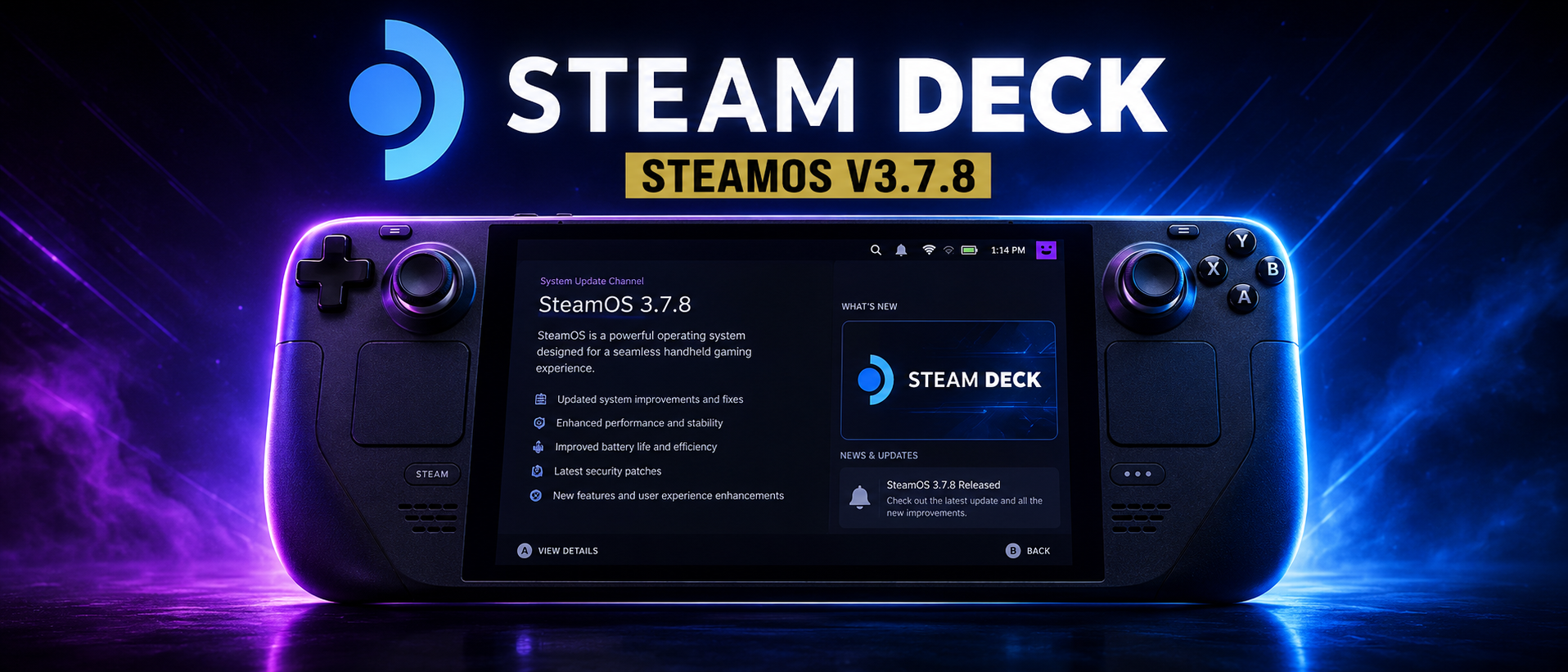 Blog
BlogValve has officially released SteamOS 3.7.8 to the stable channel, delivering a wide range of updates and enhancements for all Steam Deck users. This release brings key system upgrades, performance improvements, better controller support, and a more refined desktop experience. 🔧 Key Updates in SteamOS 3.7.8 🖥️ System and Performance Updated Linux base : Now based on a newer Arch Linux version with the 6.11 kernel . Upgraded Mesa graphics driver , improving compatibility and rendering performance. Desktop Mode updated to Plasma 6.2.5 , offering a modern UI, new features, and improved stability. AMD P-State CPU frequency control is now enabled, providing better performance and power efficiency management. 🔋 Power and Battery New Battery Charge Limit option in Settings → Power: lets users cap the maximum charge (e.g., 80%) to extend battery lifespan — particularly useful for users who keep their Steam Deck docked or rarely let the battery drain. 🎮 Controllers and Input Extended support for new controllers, including improved handling of Bluetooth gamepads and the ability for them to now wake LCD units from sleep (previously only on OLED). Bug fixes : Resolved issues with unresponsive inputs after exiting Steam and gyro malfunctions on initial connection with certain controllers. 📶 Bluetooth Enhancements Battery level indicator now available for supported Bluetooth devices. Enabled HFP/HSP profiles to allow using integrated microphones on Bluetooth headsets and earbuds (configurable from Desktop Mode). Resolved issues with AirPods using the AAC codec , and improved compatibility across a range of Bluetooth devices. 🖼️ Graphics and Docking Improved display compatibility for external monitors, including VRR-enabled displays and various TV models. Fixed a performance regression in titles like No Rest for the Wicked . 🧰 Desktop Experience Faster and more reliable switching between Desktop and Gaming Mode. KDE Filelight is now installed by default , helping users visualize disk usage and manage storage. gocryptfs support added to enable Plasma Vaults for secure file storage. Resolved several issues that could cause system hangs or delays during shutdown or when switching sessions. 🔄 Maintenance and Update Management Updated SteamOS recovery image : helpful for restoring or reinstalling SteamOS on your Steam Deck. Fixed several cases where updates could fail due to corrupted configuration files. Improved system behavior during out-of-memory crashes , ensuring better responsiveness. Enhanced DNS compatibility and enabled IPv6 Privacy Extensions by default. ⚠️ Known Issues Super NES controllers may incorrectly appear as connected even when they are not. Bluetooth LE controllers are currently not compatible with wake-from-sleep on LCD models. How to Update To install the SteamOS 3.7.8 update, go to System Settings on your Steam Deck and check for updates. Valve continues to demonstrate a strong commitment to refining and evolving the Steam Deck platform. With each update, SteamOS becomes more robust, more versatile, and more aligned with the needs of its user base. SteamOS 3.7.8 is a clear step forward in making the Steam Deck an even more powerful handheld gaming device.
Read the article Blog
BlogSurely many of you already know that the Steam system is based on Linux, specifically on the Archlinux distribution. This allows the console to be very versatile in many ways. However, not everyone knows that Archlinux has many games available for free in its store. Here, I will try to list a portion of them, specifically the games I have tried and found fun, and that I want to share with you. I will also give you a way to install them fairly quickly by accessing this page through the Steam Deck. Sonic Robo Blast 2 (SRB2) is an open-source fan game of Sonic the Hedgehog, developed with a modified version of Doom Legacy. The game attempts to recreate the experience of classic Sonic on Sega Genesis in a 3D environment, while retaining many elements typical of the original series, such as speed, enemies, and platforms. The game features numerous levels and enemies and is appreciated for its gameplay faithful to the original Sonic titles, while offering a different experience due to the three-dimensional environment. Sonic fans will find in SRB2 a nostalgic but also renewed experience, combining familiar elements with new challenges. Furthermore, as an open-source project, SRB2 benefits from an active community that constantly contributes with new content, mods, and improvements, increasing the game's longevity and variety. Being available on Flathub, installation on Linux systems is simple and straightforward, making it easily accessible to a wide audience. In summary, Sonic Robo Blast 2 is a must-play title for Sonic fans, especially for those who want to relive the golden era of platformers in a new three-dimensional form. https://flathub.org/apps/org.srb2.SRB2 Sonic 3 A.I.R. (Angel Island Revisited) is an enhanced and modernized version of the classic Sonic the Hedgehog 3 & Knuckles, originally released on Sega Genesis. This fan-developed project is a love letter to the series' fans, aiming to bring the original game to new levels of quality and playability while staying true to the original experience. The game features significant improvements, including widescreen resolution, a higher frame rate, and cleaner graphics. These changes maintain the original visual style but make it much smoother and more suited to modern standards. Sonic 3 A.I.R. also supports modern controllers, making the gameplay more accessible and enjoyable. One of the most appreciated features is the wide range of customization options, allowing players to modify various aspects of the game to suit their preferences. This includes the ability to enable or disable specific enhancements, changes to gameplay mechanics, and more. Being available on Flathub, Sonic 3 A.I.R. is easily installable on Linux systems, allowing players to relive or discover for the first time one of the most beloved chapters of the Sonic saga with a touch of modernity. In summary, Sonic 3 A.I.R. is a definitive version of Sonic 3 & Knuckles, offering fans of the blue hedgehog an improved and optimized experience while preserving the magic of the original game. https://flathub.org/apps/org.sonic3air.Sonic3AIR - Sonic 3 AIR Shattered Pixel Dungeon is an open-source roguelike inspired by the popular game Pixel Dungeon. This game offers a traditional dungeon crawling experience with typical genre elements, such as procedurally generated levels, permadeath, and high difficulty that requires tactics and strategy to survive. The gameplay of Shattered Pixel Dungeon stands out for its well-balanced design and the wide variety of items, enemies, and traps that players can encounter. Each game is unique due to the random generation of levels and the inclusion of different heroes, each with specific abilities that affect gameplay. A highly appreciated aspect of the game is its simple yet effective interface, which maintains excellent readability despite the pixel art style. Additionally, the game is constantly updated with new features and improvements, thanks to the ongoing work of its developer and the supportive community. https://flathub.org/apps/com.shatteredpixel.shatteredpixeldungeon PokeMMO is an MMORPG based on the Pokémon world, allowing players to experience a massive multiplayer environment set in the classic Pokémon games. By integrating various regions from the original titles, such as Kanto, Hoenn, Sinnoh, and Unova, the game enables players to explore, battle, and trade Pokémon in real-time with others from around the world. One of the most interesting aspects of PokeMMO is its fidelity to the original games, combined with the ability to interact with a global community. Players can participate in PvP tournaments, form teams with friends, and even compete to become the best trainer, just like in the official Pokémon games. The game also offers character customization, special events, and a range of unique features not found in the original games, enriching the multiplayer experience. The graphics remain true to the classic pixel art style, preserving the nostalgic charm of the Pokémon games. Being available on Flathub, PokeMMO is easily installable on Linux systems, making it simple for players to relive the Pokémon experience with an added social dimension. In summary, PokeMMO is a must for Pokémon enthusiasts who want a classic gaming experience enhanced by online multiplayer, offering hours of fun in a shared world with other fans. https://decknewsunofficial.online/utils/guide-to-installing-pokemmo-on-steam-deck Endless Sky is an open-source space exploration game inspired by classics like Escape Velocity. In the game, players can explore a vast galaxy, undertake missions, trade, fight pirates, and build a space fleet. One of the most engaging aspects of Endless Sky is the freedom it offers: you can choose to follow the main storyline or simply explore the universe at your own pace. The gameplay is enriched by a wide variety of ships, weapons, and upgrades that can be purchased or earned. The graphics are simple yet functional, allowing players to focus on strategic gameplay and galactic adventures. Additionally, the game is supported by an active community that continues to develop and improve the title, adding new missions, ships, and content. Endless Sky is easily installable on Linux systems via Flathub, making access to this engaging space game simple and straightforward for users. In summary, Endless Sky is an excellent choice for those who love space exploration games with a strong focus on freedom and customization, offering a deep and satisfying gaming experience. https://flathub.org/apps/io.github.endless_sky.endless_sky - Endless Sky Dr. Robotnik's Ring Racers is a fan-made racing game inspired by the Sonic the Hedgehog universe, developed by series enthusiasts. In this game, players can race at high speeds using various iconic characters from the Sonic franchise, including Sonic, Tails, Knuckles, and, of course, the villainous Dr. Robotnik. The game features gameplay reminiscent of classic kart racing games, with tracks inspired by levels from the original Sonic games, power-ups to collect during races, and the ability to use special moves to gain an advantage over opponents. The colorful graphics and visual style evoke the vibrant and frenetic world of Sonic, making the gaming experience immediately recognizable to fans of the series. Dr. Robotnik's Ring Racers is easily installable on Linux systems via Flathub, offering a fun and nostalgic option for those looking for an accessible racing game inspired by classic Sonic titles. Although it is a fan game, it is well-crafted and designed to provide hours of enjoyment, especially in multiplayer sessions. In summary, Dr. Robotnik's Ring Racers fits into the arcade racing genre with a strong connection to the world of Sonic, and represents a fun choice for fans who want to see their favorite characters racing on track. https://flathub.org/apps/org.kartkrew.RingRacers - Dr. Robotnik's Ring Racers Vintage Story is a sandbox survival and exploration game that combines elements of crafting, building, and simulation. Inspired by games like Minecraft, Vintage Story offers a more complex and immersive experience, with a greater emphasis on realism, depth, and detail. The world of Vintage Story is procedurally generated, featuring diverse biomes, unique creatures, and a climate system that influences gameplay. Players must gather resources, craft tools, build shelters, and face the dangers of the world, such as hunger, weather, and enemies. One of the game's distinctive features is its advanced crafting system, which requires a detailed understanding of materials and processing techniques. This makes it more complex compared to other games in the genre but also more rewarding for players seeking a greater challenge. The game is available on Flathub, making it easily accessible to Linux users. In summary, Vintage Story fits into the survival sandbox genre but stands out for its depth and complexity. It is an excellent choice for players seeking a more realistic and engaging survival experience compared to simpler and more casual titles. https://flathub.org/apps/at.vintagestory.VintageStory - Vintage Story Space Cadet Pinball is a version of the famous pinball game originally included in the Microsoft Plus! package for Windows 95, and later available on various versions of Windows up to XP. The game, officially called 3D Pinball for Windows - Space Cadet, has been loved by many for its simplicity and immediate fun. The gameplay is classic pinball: players use the flippers to launch the ball and accumulate points by hitting targets, completing missions, and keeping the ball in play as long as possible. The Space Cadet table has a space theme, with missions and objectives that evoke a futuristic and engaging experience. Available on Flathub, Space Cadet is easily installable on Linux systems, allowing nostalgics to relive this classic pinball game on modern platforms. In summary, Space Cadet Pinball is an arcade pinball game that offers a nostalgic and fun experience, perfect for short gaming sessions and for those looking to rediscover a piece of video game history. https://flathub.org/apps/com.github.k4zmu2a.spacecadetpinball - Space Cadet Pinball Veloren is an open-source adventure and sandbox game inspired by titles like Minecraft and Cube World. Combining elements of exploration, survival, crafting, and combat, Veloren offers a vast, procedural world where players can interact freely, both in single-player and multiplayer modes. The game stands out for its voxel-style graphics, creating a colorful and vibrant world. Veloren not only allows exploration of various biomes but also gathering resources, building structures, crafting items, and battling a variety of creatures. Combat is dynamic and skill-based, with a progression system that rewards exploration and interaction with the environment. One of the most interesting aspects of Veloren is its open-source nature, meaning it is continuously evolving thanks to community contributions. This ensures frequent updates, with new features and improvements added regularly. Available on Flathub, Veloren is easily installable on Linux systems, making the game accessible to a wide audience of players. In summary, Veloren fits into the sandbox and adventure game genre with a strong focus on exploration and crafting. It is a title that promises hours of fun and creativity, especially for those who appreciate open-world games with voxel graphics and an active community. https://flathub.org/apps/net.veloren.veloren - Veloren Bombermaaan is an open-source remake of the classic arcade game Bomberman, originally developed by Hudson Soft. This title brings back the classic and simple gameplay that made the original game so popular: players must place bombs on a grid to eliminate opponents and destroy blocks while avoiding being hit by explosions. The game retains the essence of the original Bomberman, with a level-based design where players face off against AI-controlled enemies or other players. One of the most enjoyable aspects of Bombermaaan is the ability to play in local multiplayer mode, allowing multiple players to compete on the same screen, making it perfect for game nights with friends. The graphics are simple and retro-styled, staying true to the original game's aesthetic, while the controls are intuitive and responsive, making the game accessible and immediate even for new players. Available on Flathub, Bombermaaan is easily installable on Linux systems, allowing fans of classic games to relive the nostalgic experience of Bomberman on modern platforms. In summary, Bombermaaan is a classic arcade game that offers a simple yet engaging gameplay experience, ideal for those looking for a fun and competitive title to play with friends, keeping the magic of the original Bomberman alive. https://flathub.org/apps/com.github.bjaraujo.Bombermaaan - Bombermaaan Other interesting games: https://flathub.org/apps/io.github.freedoom.Phase1 - Freedom - Phase 1 https://flathub.org/apps/io.github.freedoom.Phase2 - Freedom - Phase 2 https://flathub.org/apps/io.github.maddecoder.Classic-RBDOOM-3-BFG - Doom BFA https://flathub.org/apps/com.frogatto.Frogatto - Frogatto https://flathub.org/apps/tk.deat.Jazz2Resurrection - Jazz ² Resurrection https://flathub.org/apps/com.stepmania.StepMania - Step Mania https://flathub.org/apps/net.sourceforge.lgames.LTris - lTris https://flathub.org/apps/com.github.juzzlin.DustRacing2D - Dust racing 2D https://flathub.org/apps/net.unvanquished.Unvanquished - Unvanquished https://flathub.org/apps/net.sourceforge.fretsonfire - Frets on Fire https://flathub.org/apps/org.xonotic.Xonotic - Xonotic https://flathub.org/apps/com.gitlab.coringao.cavestory-nx - Cave Story https://flathub.org/apps/com.realm667.Wolfenstein_Blade_of_Agony - Wolfenstein - Blade of Agony
Read the article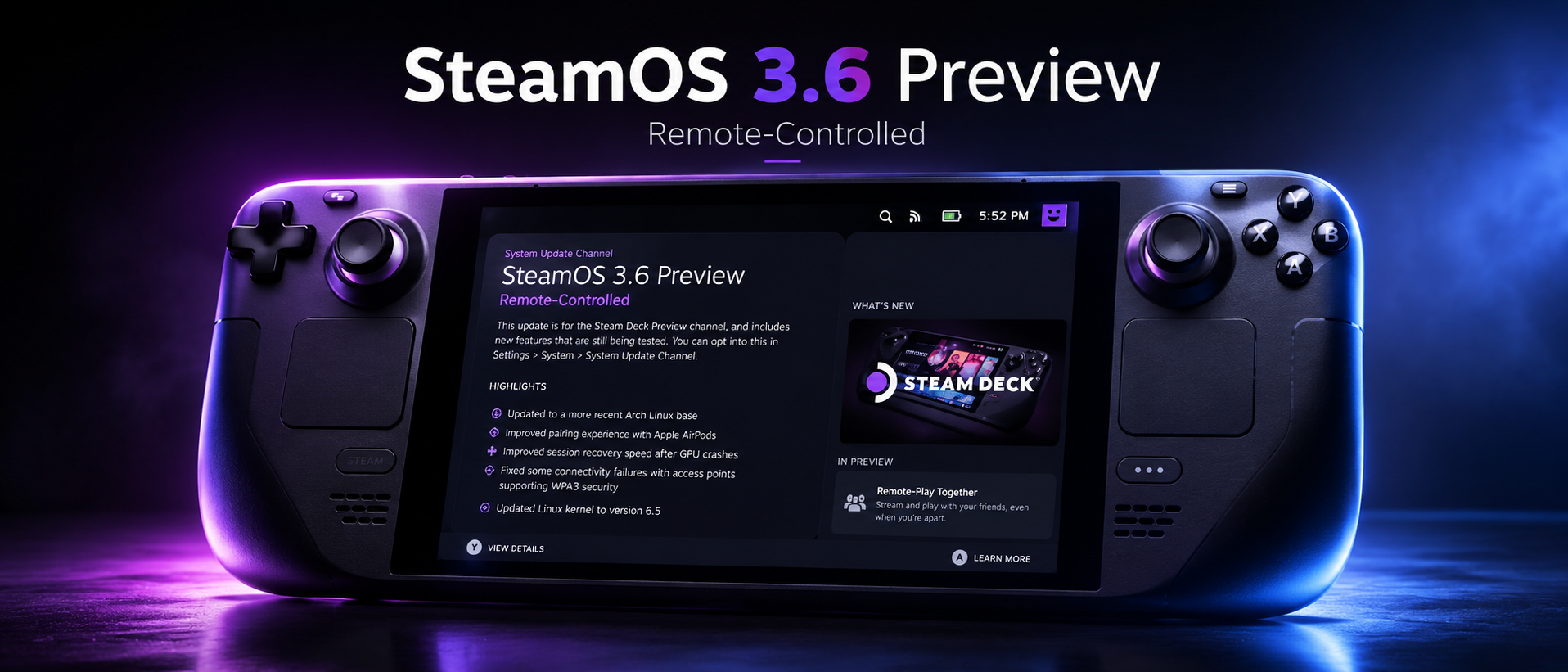 Blog
BlogValve proudly presents SteamOS 3.6.0 Preview, a sneak peek of the upcoming update designed to enhance the gaming experience on Steam Deck. This update introduces a series of targeted improvements focused on optimizing performance, reliability, and customization of the gaming platform. With attention to detail and a constant commitment to excellence, Valve has worked to bring a range of new features, aimed at meeting the needs of gaming enthusiasts. Among the highlights of SteamOS 3.6.0 Preview are enhancements in connectivity and reliability, with simplified pairing with Apple AirPods and improved stability in Wi-Fi connections with access points supporting WPA3 security. Additionally, there have been visual and performance improvements, with optimization of screen uniformity and color balance, and an update to the graphics driver to Mesa 24.1 for significant performance enhancements and error correction. To meet the customization needs of users, SteamOS 3.6.0 Preview also includes new features such as HDMI CEC support for greater TV control and overclocking controls for customizing device performance. Furthermore, file configuration management has been improved to offer greater flexibility and ease of customization of the system. Overall, SteamOS 3.6.0 Preview brings a range of enhancements aimed at optimizing the gaming experience on Steam Deck, offering users a more stable, performant, and customizable gaming environment. General Updated to a more recent Arch Linux base Improved pairing experience with Apple AirPods Improved session recovery speed after GPU crashes Fixed some connectivity failures with access points supporting WPA3 security Updated Linux kernel to version 6.5 Improved speed of subsequent OS updates Improved reliability of certain microSD card usage scenarios Fixed game session cursor offset alignment Worked around misdetection of some SanDisk microSD cards Fixed an issue where a thin grey line could appear at the bottom of the screen during boot in some situations Fixed an issue causing temporary files to accrue when using Flatpak Enabled support for Bluetooth A2DP and BAP profiles Improved connection speed of some Bluetooth devices Improved performance and stability in memory pressure situations Fixed an issue where the Performance Overlay would spuriously enable itself under certain conditions Added mechanism to configure which Bluetooth device categories are allowed to wake the system from suspend By default, controllers are the only devices that can wake the system from sleep Finer-grained UI configuration options will be available as part of a future update Display Improved display uniformity, under some conditions (Mura Compensation) Improved display color balance (reduced green tint) at lower brightness levels, under some conditions Improved gamma uniformity (yellow tint), under some conditions Graphics and Performance Updated graphics driver to Mesa 24.1, with significant performance improvements and bug fixes for a smoother and more responsive gaming experience. Increased responsiveness of the Steam UI, for smoother and more intuitive navigation within the platform. Desktop Mode Updated to KDE Plasma 5.27.10 Enabled thumbnail previews for videos in the file browser Fixed an issue with desktop use that could cause subsequent microSD card auto-mount to fail Deck Dock Added support for some HDMI CEC features: TV remote input TV wake up TV input switching Updated Dock firmware, with compatibility fixes for high-refresh-rate VRR displays BIOS Added overclocking controls on Steam Deck LCD Fixed not being able to set the SDCard as default boot device Adjusted power LED slow charging threshold Fixed spurious power LED blinking in S5 Development and Modding IModified files in /etc are now migrated to new OS versions based on a whitelist Fixes numerous issues with incidentally touched /etc files becoming 'sticky' and persisting unexpectedly Additional whitelist entries can be added via config fragments See /etc/atomic-update.conf.d/example-additional-keep-list.conf Added /etc/previous/ containing modifications from the previous update to prevent unexpected data loss Up to five previous snaphots of /etc modifications will additionally be retained in /var/lib/steamos-atomupd/etc_backup/ Added support for {ssh,sshd}_config fragments Known Issues Frequent session switches can result in the sound driver crashing, needing a system reboot Reference: https://store.steampowered.com/news/app/1675200/view/4213757668851885208
Read the article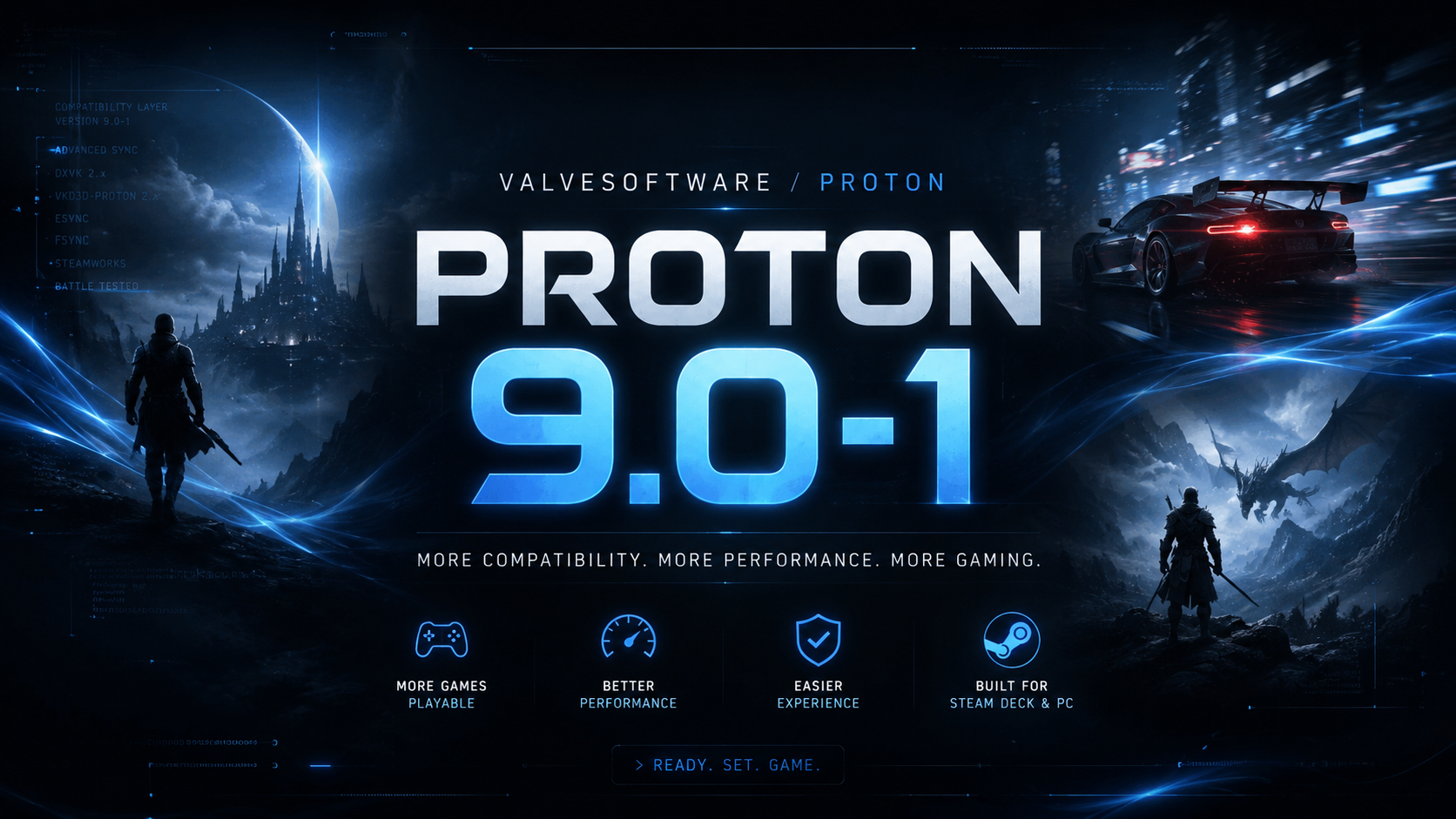 Blog
BlogValve has recently announced the release of Proton 9, the definitive compatibility layer for Linux that is revolutionizing the gaming experience on this platform. In this article, we will explore the key features and improvements introduced with Proton 9, and how they impact gaming on Linux. Support for a Wide Range of Games The new version of Proton introduces support for a wide range of new games, providing Linux users with broader access to the available game library. Games such as Far Cry 4 and The Witcher 2, optimized to utilize a high number of cores, can now be run smoothly even on high-end CPUs thanks to the removal of core usage limits. Improvements for Multi-Core CPUs One of the highlights of Proton 9 is the performance improvement on high-end hardware, thanks to optimization for multi-core CPUs. This ensures greater computing power for games optimized to utilize multiple cores, such as the Warhammer series and Far Cry. NVAPI Enabled for Enhanced Performance Another significant enhancement is the default enabling of NVAPI for all games, resulting in better performance for users with NVIDIA graphics cards. This translates to a smoother and more responsive gaming experience for titles leveraging these cards. Simplified Access on Steam Deck With Proton 9, access on Steam Deck has been made even simpler: just search in the Steam library, and the system will automatically update for those already using the Beta version. Conclusion In conclusion, Proton 9 represents a significant step forward in making Linux an even more competitive platform for gaming. With increased compatibility, improved performance, and an overall better gaming experience for Linux users, Proton 9 establishes itself as the new standard for gaming on this platform. For further information and to view the complete changelog, it is recommended to visit the dedicated Proton 9.0 GitHub page. Thanks to the ongoing commitment of Valve and the Proton developers, the future of gaming on Linux looks increasingly promising. Stay tuned for further updates and news! Changelog Proton: 9.0-1 Here's what Valve said were previously only playable on Proton Experimental: Dinogen Online Photography Simulator Demo George McGeehan Gamer Hero The Finals True Reporter. Mystery of Mistwood Road to Vostok Demo WITCH ON THE HOLY NIGHT Lord of the Rings: Gollum Sonic Colors: Ultimate Command & Conquer: Red Alert 2 and Yuri’s Revenge Command & Conquer Tiberian Sun and Firestorm Aisling and the Tavern of Elves Snares of Ruin 2 Insanity's Blade Bloody Walls Additionally, the number of CPU cores seen by these games have been limited, to make them actually playable on newer CPUs with high core counts: Far Cry 2 Far Cry 4 The Witcher 2: Assassins of Kings Enhanced Edition Lara Croft and the Guardian of Light Warhammer 40,000: Space Marine Warhammer 40,000: Dawn of War II Warhammer 40,000: Dawn of War II - Chaos Rising Warhammer 40,000: Dawn of War II - Retribution Outcast - Second Contact Prototype All the other changes: Enabled nvapi by default for most games. Started ignoring system mouse acceleration in games using raw input API. Fixed Brawhalla showing a security certificate warning. Fixed audio in BOOMEROAD, DORONKO WANKO, NOTTOLOT. Fixed Civilization V Touch Only option in the launcher not working. Improved cutscene synchronization in Immortals Fenyx Rising. Fixed TouHou Makuka Sai ~ Fantastic Danmaku Festival Part I and II crashing during boss fights. Fixed crash in Disaster Report 4: Summer Memories epilogue. Improved video playback in BIOMUTANT. Fixed Imperiums: Greek Wars launcher. Fixed memory leaks that caused Final Fantasy XIV Online launcher crash over long time. Fixed crash in Microsoft Flight Simulator when live weather is enabled. Improved support for input devices with 8+ axes. Fixed Savant - Ascent REMIX hitching during certain animations. Fixed Super Robot Wars 30 crashing with languages other than English. Fixed Doom Eternal audio crackling on certain setups. Fixed Lethal Company, Phasmophobia and other Unity games crashing when a controller with a hat switch is plugged in. Improved video playback for the following titles: Lords of the Fallen, Harvestella, Wayfinder, Sea of Thieves, and KING OF FIGHTERS XV. Fixed default scaling for The Last Game on Steam Deck. Fixed audio issues when playing intro video in Airborne Kingdom. Fixed Bayonetta crashing on certain systems. Fixed Escape from Monkey Island getting minimized on a mouse click. Fixed audio controls and spatialization in VRChat with AVPro. Fixed new prefix failing to initialize on filesystem that do not support copy_file_range syscall. Updated file distribution method to save disk space. Rebased on top of upstream Wine 9.0. Updated vkd3d-proton to v2.11.1 -49- g32ff676b . Updated dxvk to v2.3 -47- ge2a46a34 . Updated dxvk-nvapi to v0.6.4 -48- g0951afb . Added support for Steamworks SDK 1.59. As seen from the official changelog . References: https://github.com/ValveSoftware/Proton/releases https://www.gamingonlinux.com/2024/05/proton-9-0-released-with-expanded-game-support-for-steam-deck-linux/
Read the article Blog
BlogNvidia has announced a new initiative to streamline the streaming gaming experience on Valve's Steam Deck portable device. With the release of a dedicated installation script, Nvidia makes it easier to access its GeForce NOW service, eliminating the need for manually performing some operations. In the past, setting up GeForce NOW on Steam Deck required manually installing Google Chrome and making some adjustments to enable gamepad support. However, with the new script provided by Nvidia, these procedures become a thing of the past. Simplified Installation with Nvidia's Script To install GeForce NOW on Steam Deck, follow these simple steps: Visit the download page in Desktop Mode (Steam button => Power => Switch to Desktop) on your Steam Deck. Download the installation script provided by Nvidia. Once downloaded, extract the zip file and click on the "GeForceNOW_Setup" script. Select "Run" to launch the script. Follow the on-screen instructions to complete the automatic installation of Google Chrome and the configuration of the browser for use with Steam Deck controllers. Once the installation is complete, click "Return to Gaming Mode" from the desktop and navigate to "Non-Steam Games" in the Steam library to launch GeForce NOW. Tips and Tricks For an optimal experience with GeForce NOW on Steam Deck, here are some helpful tips: Make sure to adjust the controller settings to enable the use of the trackpad as a mouse within the streaming service. Use the GeForce NOW streaming overlay by long-pressing the Start button on Steam Deck for smoother navigation. For some games, such as Genshin Impact, you may need to enable gamepad input in the game settings. Here is the link to the official guide: [How do I install GeForce NOW on Steam Deck?] In conclusion, Nvidia's initiative makes the streaming gaming experience on Steam Deck more accessible and user-friendly. It remains to be seen if other companies will follow Nvidia's example by creating similar tools to simplify the use of their services on Steam Deck. For now, users can enjoy a smooth and hassle-free gaming experience thanks to Nvidia's new GeForce NOW installation script. References: How do I install GeForce NOW on Steam Deck? Nvidia Page to download script
Read the article Blog
BlogUPDATE : 13 May 2024 The May 13th update brings the Xbox Series X|S version to 1.10.765, the PS5 version to 1.10.985, and the PC, PS4, and Xbox One versions to 1.10.984. The main focus is on the display options for PS5 and Xbox Series X|S, with new possibilities introduced to customize the game's graphics rendering. Additionally, recent fixes have been added to address the bugs mentioned in the reference article. Bethesda promptly addressed post-"next gen" update issues, ensuring a smoother and bug-free gaming experience. In summary, this update provides players with greater control over graphics options and addresses specific bugs, further enhancing the Fallout 4 experience in the Wasteland. UPDATE : 1 May 2024 A proton hotfix will fix problems on Steam deck OLED - on X bt Pierre-Loup Griffais from Valve Thanks to the intervention of Pierre-Loup Griffais from Valve, a Proton hotfix has been released to address at least one of the issues, although access to graphical options remains unresolved. The hotfix, now selected as the default layer for the game, appears to have addressed the frame pacing issue on Steam Deck OLED. However, the use of a specific startup option has been suggested to temporarily restore access to the game's launcher. Hopefully, Bethesda will ultimately resolve these issues, making graphical options accessible without the need for additional commands. The much-anticipated next-gen update for Fallout 4 has left many players disappointed, bringing with it a host of technical issues that are undermining the gaming experience for many users. 1. The Disappointing Next-Gen Update Many PC players have been faced with an update that doesn't offer significant improvements to the game, rendering many of the previously available mods unusable. This has caused frustration within the community, which expected substantial improvements, especially considering the hype surrounding the next-gen update. 2. The Race for Mods Faced with this disappointment, many players have sought alternative solutions to revert to previous versions of the game and continue using their favorite mods. Mods like "Fallout 4 Downgrader" and "Steam Skip Next-Gen Update" have become extremely popular, with thousands of downloads on Nexus Mods. 3. Wide-spread Technical Issues The next-gen update has brought with it a slew of bugs and technical issues across all platforms. On Steam, players have reported issues accessing the game, including crashes and startup problems. Even on PlayStation 5 and Xbox, there have been issues with the availability of the update and difficulties accessing the game's quality mode. 4. Fallout 4 on Steam Deck Even on Steam Deck, the game was labeled as "playable" after the update, but many players have found that the situation has not changed significantly. There are still numerous technical issues, such as the inability to access graphic options and bugs that affect the gaming experience. 5. Conclusions and Future Perspectives Despite the problems, Fallout 4 remains playable on many platforms, including Steam Deck. However, the next-gen update has been handled superficially, with numerous bugs and non-functioning graphic options. Many players hope that Bethesda will promptly address these issues and provide adequate solutions to improve the gaming experience. In conclusion, while the post-apocalyptic world of Fallout 4 continues to captivate players, the next-gen update has brought more disappointments than improvements, testing the patience and loyalty of fans to the franchise. On Steam deck guide write by : box_Master97 How to Downgrade Fallout 4 on Steam Deck! REQUIREMENTS: At least 23 GB of free space on the drive where you'll install the depots (I recommend having a keyboard and mouse as it will be much easier) Here's a simplification of the steps, based on the details provided by box_Master97: (for a complete guide please follow the Reddit page) Get the Depot IDs: Use the following commands to obtain the necessary Depot IDs for the downgrade. download_depot 377160 377162 5847529232406005096 download_depot 377160 377161 7497069378349273908 download_depot 377160 377163 5819088023757897745 download_depot 377160 377164 2178106366609958945 download_depot 377160 435870 1691678129192680960 download_depot 377160 435871 5106118861901111234 download_depot 377160 435880 1255562923187931216 All info here Choose the Download Path: You have two options to download the downgrade files: Path 1: Steam Console Open the Steam console using the link "steam://nav/console". Paste the Depot IDs into the console and wait for the download to complete. The downloaded files will be saved in the specified directory. Path 2: Steam Depot Downloader GUI Visit the "Steam Depot Downloader GUI" Github page and download the .AppImage file. Make the downloaded file executable and launch it. Enter your Steam credentials and the Depot IDs. Select the download location and start the download. Install the Downgrade Files: Once the download is complete, open the Fallout 4 folder in Steam. Copy the downloaded files from the depots into the Fallout 4 folder, overwriting existing files if prompted. Organize the Creation Club Files: In the "Data" folder of Fallout 4, locate all files starting with "cc" (Creation Club). Create a new folder and move all Creation Club files into this folder. Verify the Success of the Downgrade: Launch F4SE (Fallout 4 Script Extender) and check if the downgrade was successful. References: Nexus Mods Mod Skip next update Reddit Guide by Xbox_Master97
Read the article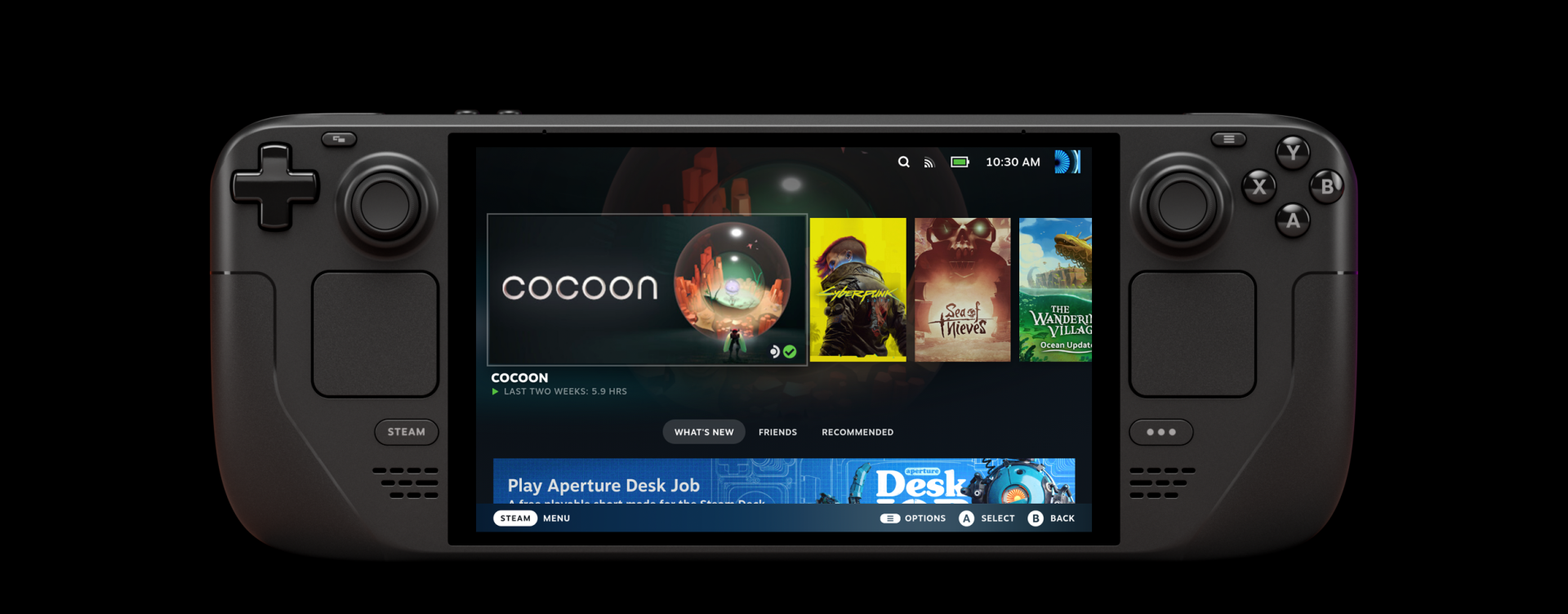 Blog
BlogThe Steam Deck universe expands with the introduction of the new OLED version, a revolution in performance and aesthetics. Let yourself be captivated by the features of these two new models that offer a leap forward in the world of portable gaming.
Read the article Blog
BlogRecently, SteamOS released the 3.5.1 update in its preview branch , accompanied by a new BIOS firmware numbered 118 . This update was met with excitement as it introduced a highly anticipated feature: undervolting, designed to significantly simplify the process of adjusting system voltages. However, it is crucial to understand that this operation carries risks, as it could lead to the dreaded " brick " of the device, meaning irreparable damage.
Read the article Blog
BlogUndoubtedly, for Cyberpunk 2077, there's no shortage of excitement, thanks to the imminent launch of the Phantom Liberty expansion and the equally thrilling update 2.0 that will be available for the base game completely free of charge. Here's what you need to know about these exciting developments: Phantom Liberty Expansion and Update 2.0: A Double Delight With the highly anticipated release of the Phantom Liberty expansion, CD Projekt Red has confirmed that the original Cyberpunk 2077 game will also receive update 2.0 as part of the package, at no additional cost to players. This news is a real gift for the gaming community because it means that everyone can enjoy the new features and improvements regardless of whether they purchase the expansion. The Power of Update 2.0: A World of Changes The official presentation of Phantom Liberty at Gamescom 2023 revealed a series of exciting updates that will be introduced with update 2.0. Among the most significant innovations, we find: Enhancements in Action: Combat and missions will be further enhanced, with an expanded arsenal and the ability to make cybernetic enhancements to your body, ensuring players an even more engaging and customizable gaming experience. Cutting-Edge Technology: The update will introduce support for NVIDIA DLSS 3.5, as demonstrated in an exciting trailer. This means that enthusiasts can enjoy crisp 4K visuals and the immersive effects of ray tracing, along with a new noise reduction system that will elevate the visual quality to a higher level. AI Improvements: NPCs will see significant improvements in AI, making chases with law enforcement more realistic and engaging than ever before. Additionally, players will have the opportunity to experiment with new car combat mechanics, including spectacular attacks while driving and hacking abilities to disrupt other vehicles. New Perks and Cyberware: A new branch of skills called "Relic" will be introduced, allowing players to execute spectacular melee attacks and unlock special moves for iconic weapons like the Mantis Blades. Release Date The release is scheduled for September 26, 2023; this is the date when Cyberpunk 2077 Update 2.0 will be released alongside the Phantom Liberty expansion. It's a moment that fans of the game have been eagerly anticipating, and it seems that the world of Night City is about to become even more immersive and exciting.
Read the article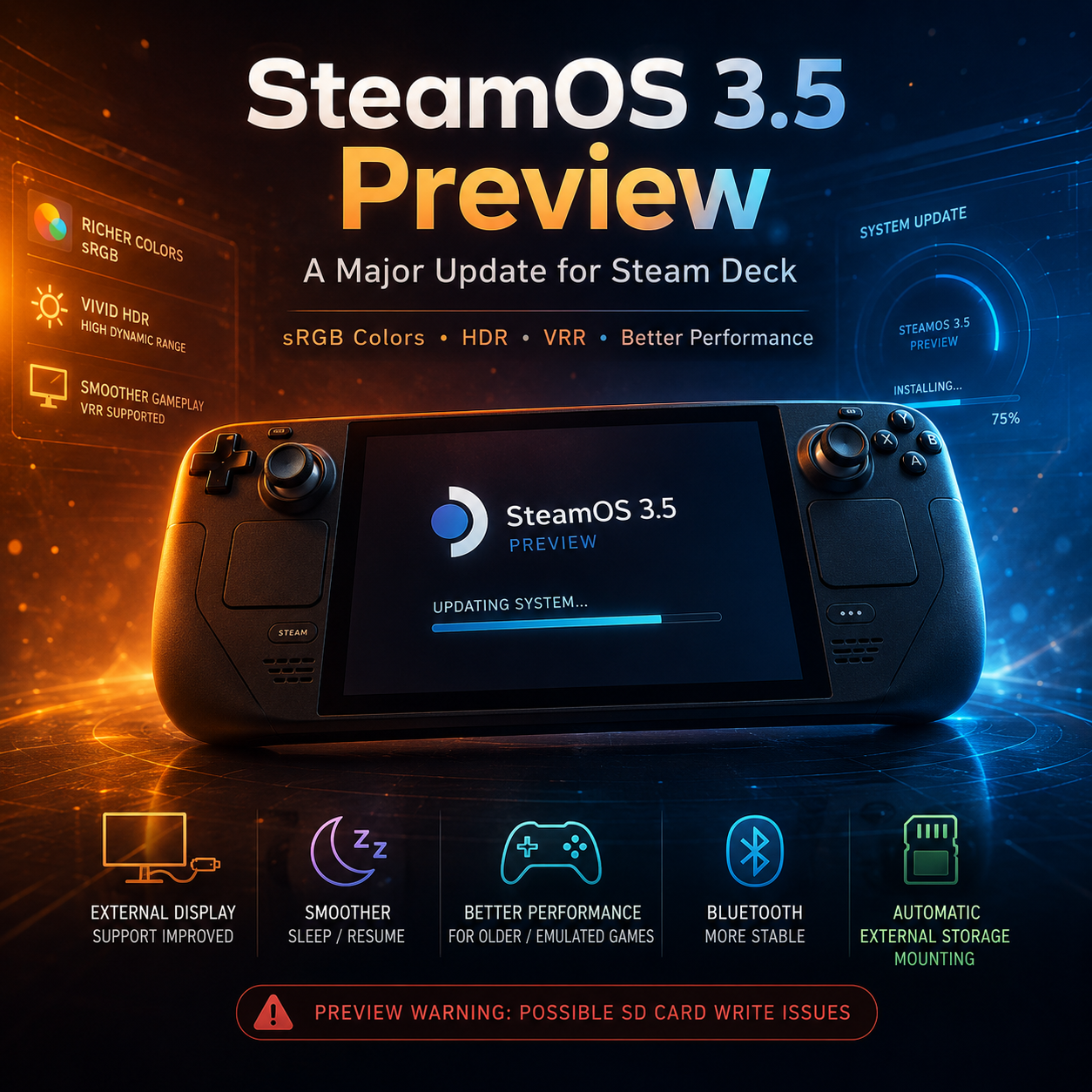 Blog
BlogThe preview version of SteamOS 3.5 has been released for Steam Deck. To try it out, follow these steps: go to Settings > System > System Update Channel and set the channel to Preview. However, please be aware that many report that this version may render the SD card non-writable, which could cause issues with programs like Emudeck and others that require writing to the SD card. What has changed? Steam has released a list of improvements in this new version of the operating system, including: The default color rendering has been adjusted to emulate the sRGB color gamut, resulting in a warmer color tone. This eliminates the need for dedicated plugins to achieve a vibrant and warm screen effect. You can now change color settings from the Settings, with an instant preview display to see the result. This preview is available even during gameplay. If you want to see how the color tone looked before the update, there is the "Native" option. HDR can now be enabled if the external display supports it. External storage devices are now automatically mounted. The sleep and resume function has been slightly improved in terms of speed. From a performance perspective, a problem that affected consoles when running emulated or very old games that did not support a feature called SMT (Simultaneous Multithreading) has been resolved. This feature allows a single core to handle two threads, usually improving performance when playing modern games. The problem was related to a specific behavior in the Linux kernel on AMD hardware but has been fixed with a kernel update. A new graphics driver has been added to Steam OS 3.5. In general, there are improvements related to VRR (Variable Rate Refresh), which can be enabled from the screen settings if supported by the USB-C adapter. Screen resolutions can now be alternated between Zoom and Stretch for better image adjustment on devices. Several annoying issues have been resolved, including touchscreen orientation when connecting to external devices. Lastly, various updates have been made to the devices, with a particular focus on Bluetooth stability and improved support for numerous devices. [previewyoutube=Jf-uu3yk3FQ]Steam Deck’s Biggest Update is Finally Here[/previewyoutube] [previewyoutube=VjtSBRJSsjI]Steam Deck - STARFIELD - Steam OS 3.4 vs Steam OS 3.5 Comparison[/previewyoutube] For further details, you can visit the website: Steam Powered News
Read the article Blog
BlogWelcome to the "Deck News Unofficial" blog! We're thrilled to have you join us in our community dedicated to all the latest news and information about the Steam Deck. Here, you'll find engaging articles and regular updates about the world of Steam Deck. We encourage you to actively participate by leaving comments on our posts and staying informed with our latest news. We're excited to share this thrilling journey with you!
Read the article